

cashier.
Before you start
You need:- An account with the role
cashier. Your owner or admin invites you. - Your work email, password and authenticator app. See Staff sign-in.
- Your facility to have a live tariff (price list). Without one, invoices can’t be issued.
Sign in
- Go to
/hospital/login, then enter your authenticator code. - You land on
/hospital. Click Cashier window. This opens/hospital/billing/cashier.
Your screen
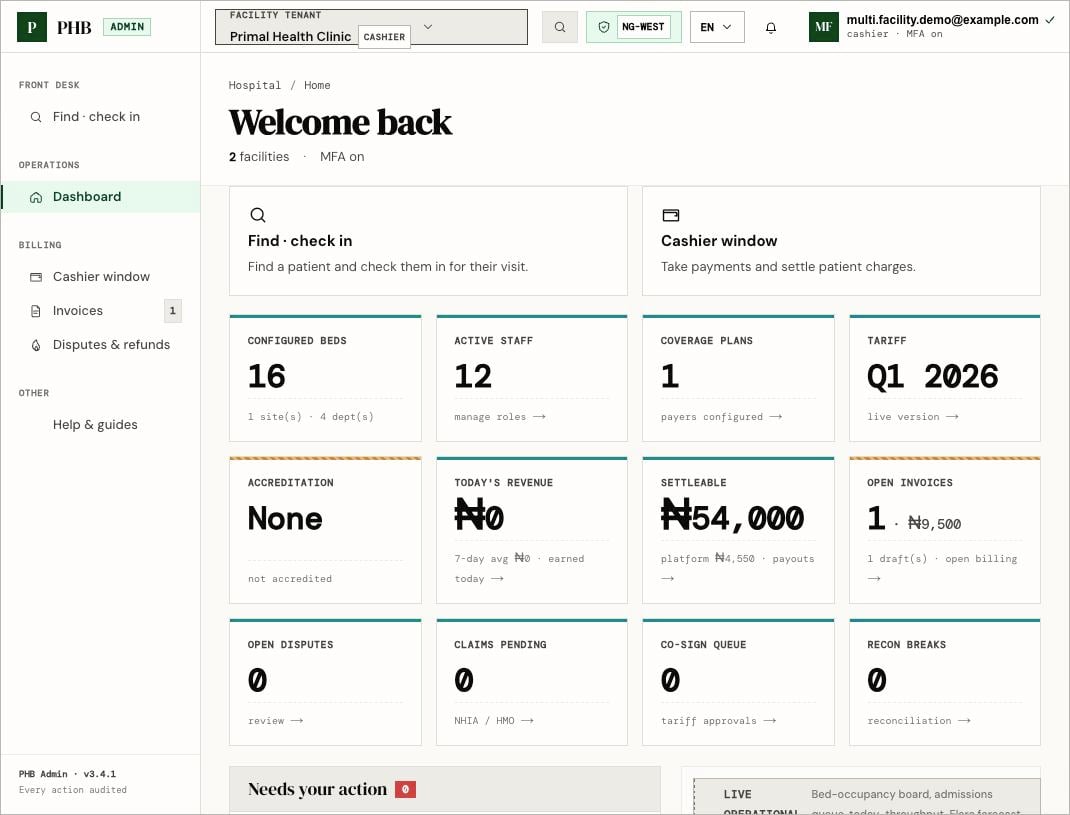
The hospital dashboard for a cashier, shown here with a demo account at a demo facility. Your numbers will differ.
- Today’s totals: Collected · today, Open, Drafts, In dispute.
- Pay at the desk: visits waiting for cash.
- Registration fees · cash awaiting: patients who need to pay to open a file.
- Invoices for your facility, with Take payment or Take co-pay.
- Look up patient and New invoice.
What you can do here
Collect payments
Take cash, card or transfer for visits and invoices.
Registration fee
Collect the fee to open a patient’s file.
What a cashier can’t do
- Change prices. That is
ownerorfinance. - Approve large refunds. That needs Finance.
- See clinical records.