

Before you start
You need:- The role
receptionist(orowneroradmin). - The patient in front of you.
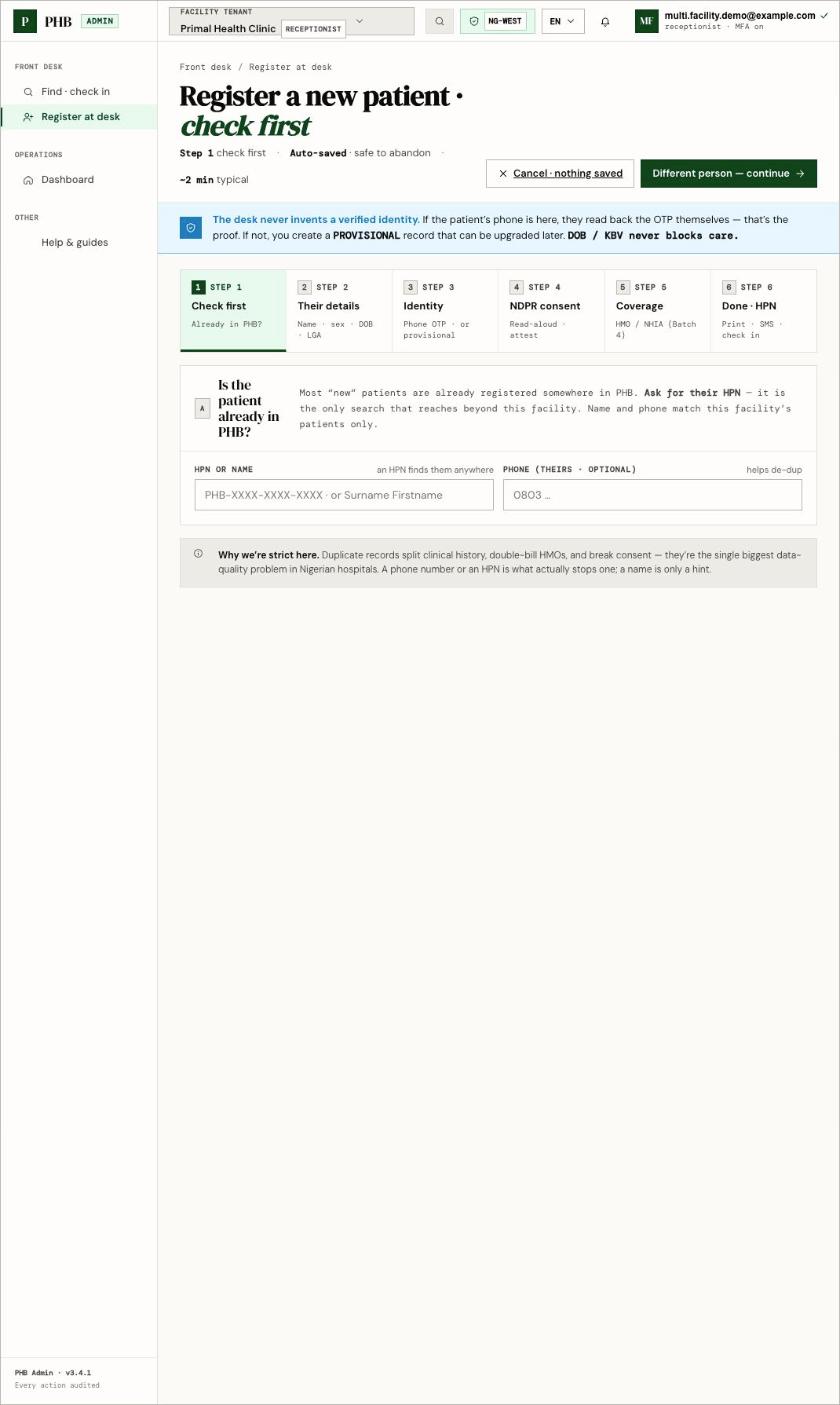
Step 1 of 6 at /hospital/desk/register: check first, to avoid a second HPN.
Steps
Open Register at desk (/hospital/desk/register). The wizard saves as you go, so it is safe to stop.
1
Check first
Ask for their HPN. Search by HPN or name, and their phone if they have one. If there is No match here — that does not mean they are new to PHB. If they say they have PHB, use They already have PHB on this screen. See They already have PHB.
2
Their details
Name, sex, date of birth and LGA. If they don’t know their exact date of birth, mark it Estimated.
3
Identity
Choose one:
- Phone code: click Send code. The patient reads back the code from their phone. Their record is verified by phone.
- No phone today: create a provisional record. You can add a phone later.
4
NDPR consent
Read the consent script aloud and confirm the patient agreed. You must do this before the record is created.
5
Coverage
This step is not available yet. Add HMO coverage later from the patient’s coverage view.
6
Done · HPN
Click Create record · issue HPN. Print the HPN slip, and check the patient in.
What you can do here
- Register adults, and children under a guardian.
- Print an HPN slip for the patient.
- Record the registration fee if your facility takes it at reception.