

Before you start
You need the rolereceptionist (or owner or admin). Sign in at /hospital/login.
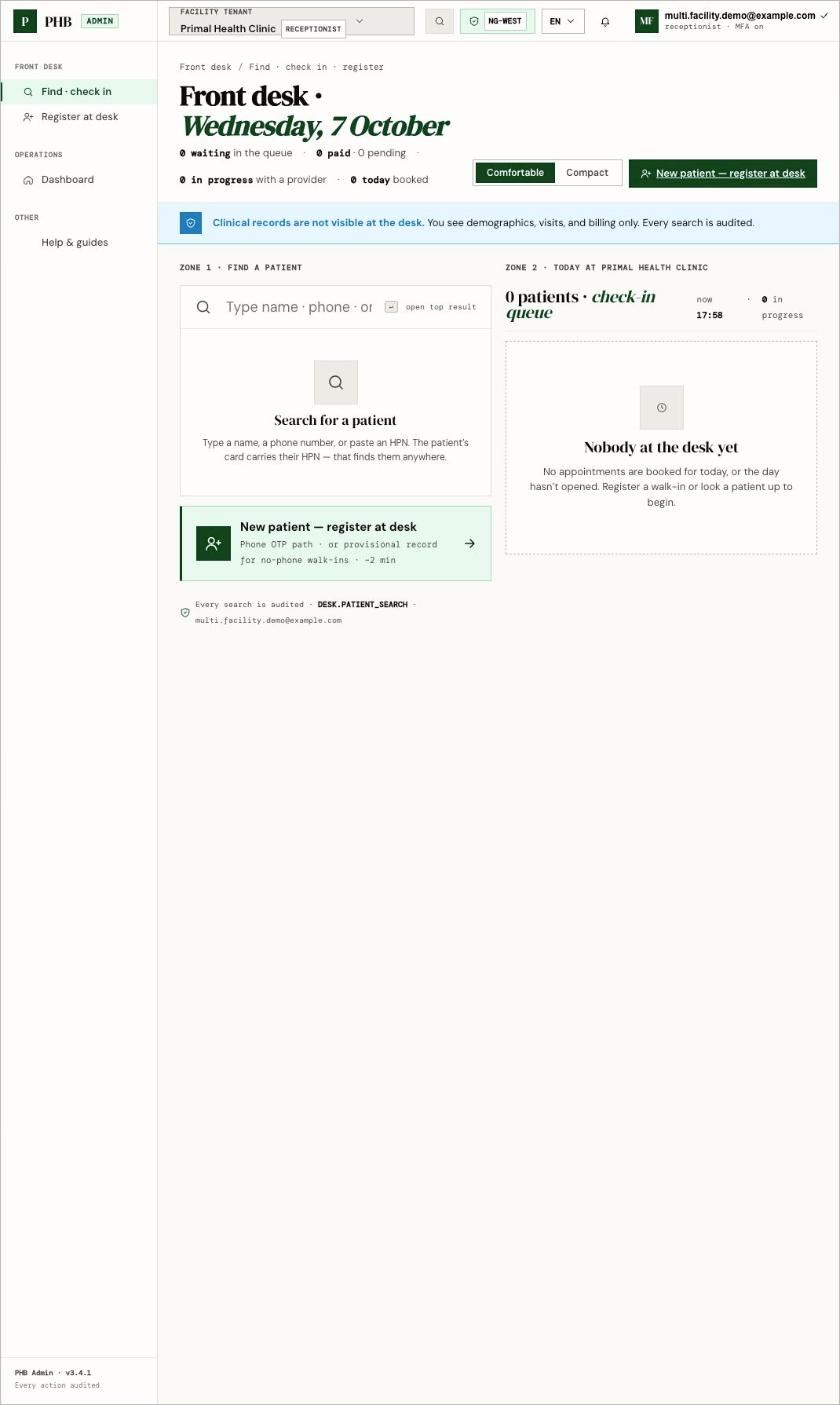
Find · check in on a quiet day. Search on the left, today's check-in queue on the right.
Steps
1
Open the desk
Click Find · check in on
/hospital. This opens /hospital/desk.2
Search
Under Search for a patient, type a name, phone number or HPN. HPNs format themselves as you type.
3
Check the results
A row shows the patient’s name, whether they are Provisional or Verified, and their last visit here. A possible duplicates panel appears if PHB sees records that look alike. Check with the patient before you pick one.
4
Check in a booked visit
In the Today queue, find the patient’s booking and click Check in. The status changes from Booked to Checked in.
5
Send to the cashier if needed
For a pay-at-desk visit, click Send to cashier.
What you can do here
- Find patients by name, phone or full HPN.
- Check in booked visits, and mark No-show.
- Start a walk-in visit. See Walk-ins.
- Open a patient’s desk page to upgrade a provisional record.
- Register a new patient with New patient — register at desk.