> ## Documentation Index
> Fetch the complete documentation index at: https://docs.phbhealth.com/llms.txt
> Use this file to discover all available pages before exploring further.
# Lab scientist
> Your guide as a lab scientist: what you need first, how to sign in, and your lab workspace.
This guide is for staff with the role `lab_tech` at a lab on PHB.
## Before you start
You need:
* [ ] An invite with the role `lab_tech`.
* [ ] Your work email, password and authenticator app.
* [ ] A **verified MLSCN licence** to release results. Without it you can still receive specimens and draft results. See [Lab onboarding](/guides/lab/onboarding).
## Sign in
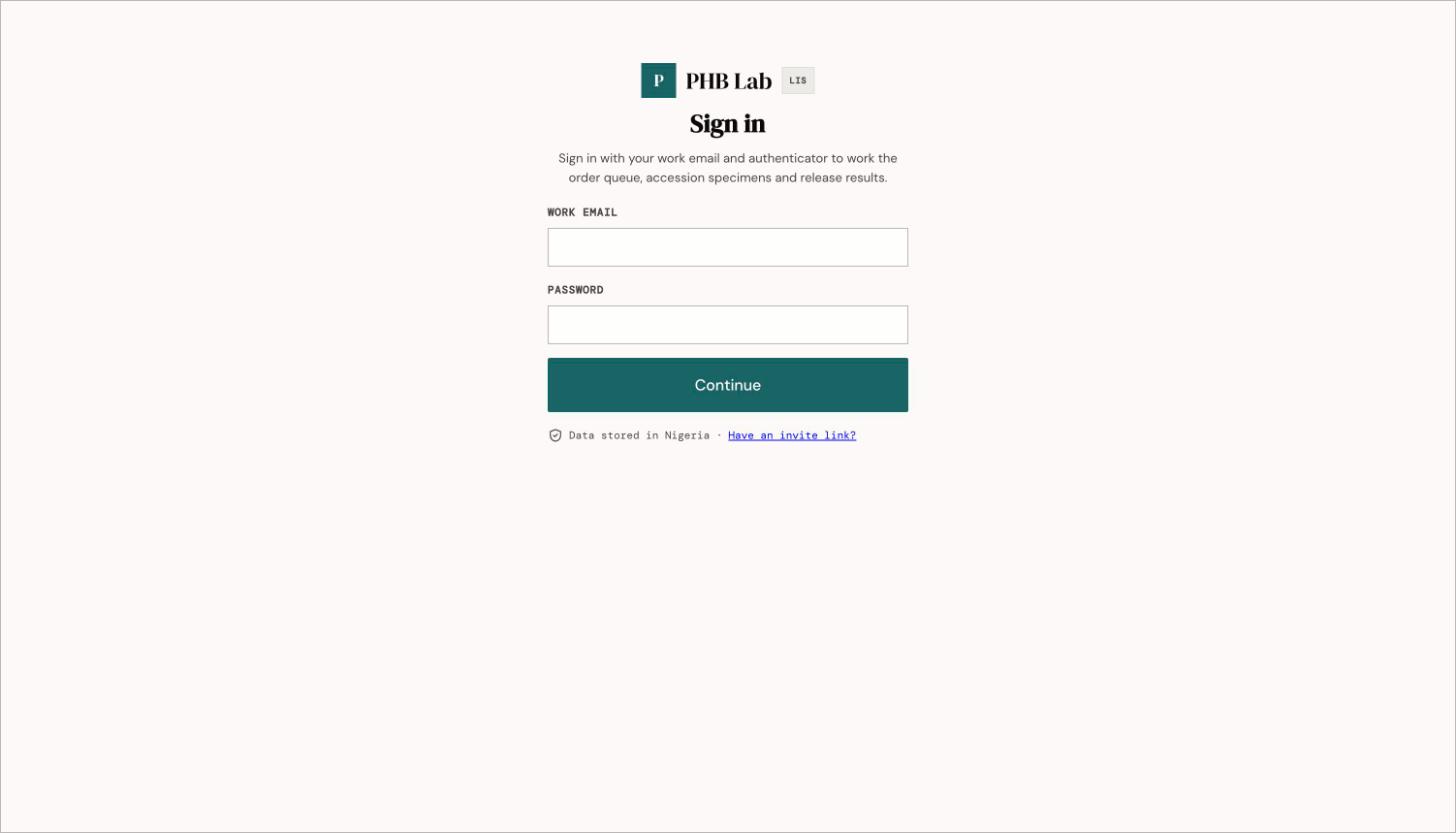
1. Go to `/lab/login`. Enter your work email and password, then your authenticator code.
2. You land on **Orders** (`/lab/orders`).
 ## Your screen
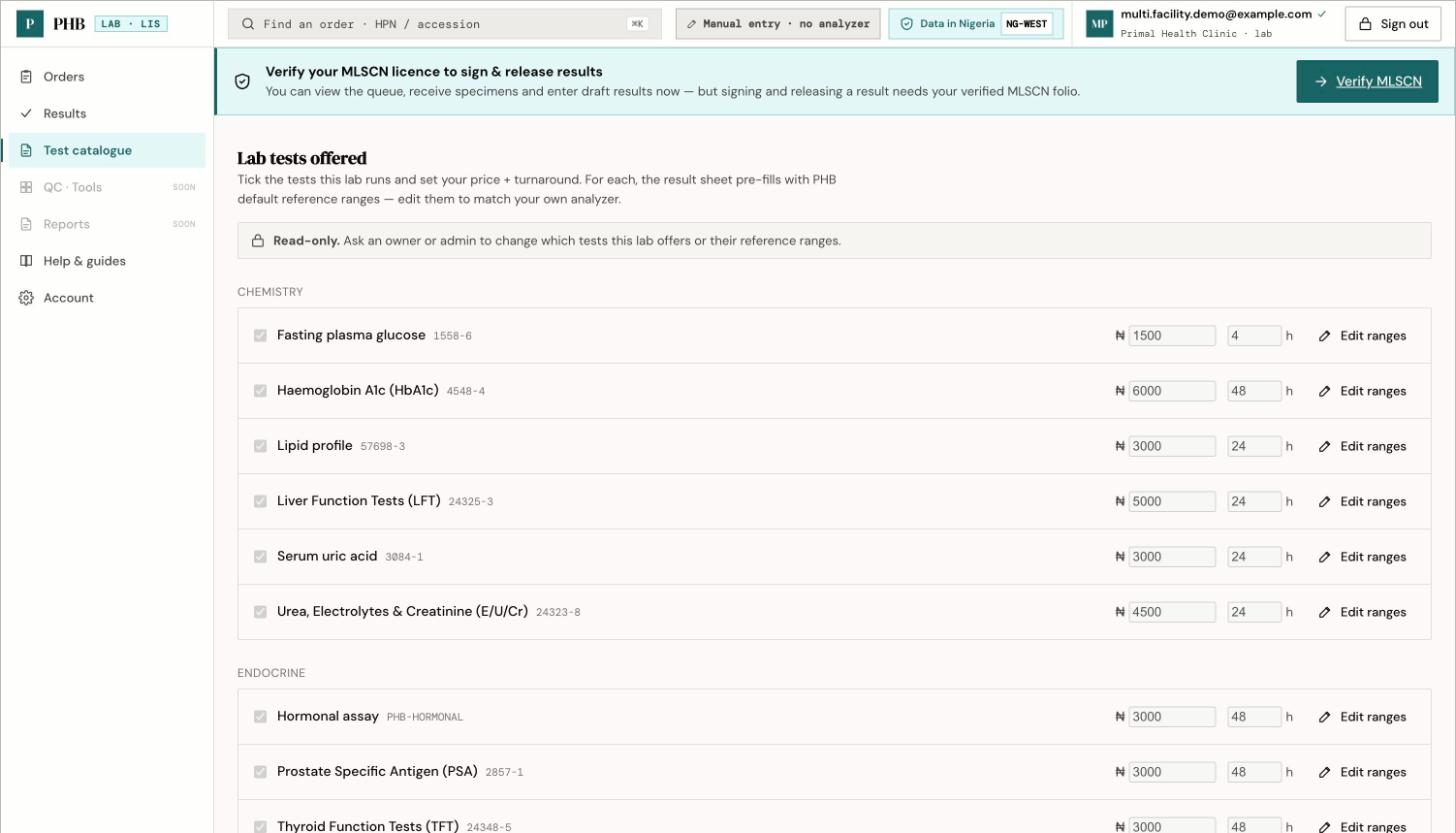
The left sidebar has **Orders**, **Results**, **Test catalogue**, **Help & guides** and **Account**. **QC · Tools** and **Reports** are coming soon.
Until your MLSCN licence is verified, a banner says **Verify your MLSCN folio to release results.**
## Your screen
The left sidebar has **Orders**, **Results**, **Test catalogue**, **Help & guides** and **Account**. **QC · Tools** and **Reports** are coming soon.
Until your MLSCN licence is verified, a banner says **Verify your MLSCN folio to release results.**
 ## What you can do here
Accept or reject specimens.
Draft, sign and release results.
Verify your MLSCN licence.
The **Test catalogue** shows the tests your lab offers. Only an owner or admin can change it.
## Workflows you are part of
* [Lab test loop](/workflows/lab-test-loop)
## When something goes wrong
* [Why can't I...?](/troubleshooting/why-cant-i)
* [Feature status](/reference/feature-status)
There are no in-app help guides for the lab yet. If your session times out, go back to `/lab/login` yourself. The sign-in prompt may open the patient sign-in page by mistake.
This documentation is built and hosted on [Mintlify](https://mintlify.com), a developer documentation platform.
## What you can do here
Accept or reject specimens.
Draft, sign and release results.
Verify your MLSCN licence.
The **Test catalogue** shows the tests your lab offers. Only an owner or admin can change it.
## Workflows you are part of
* [Lab test loop](/workflows/lab-test-loop)
## When something goes wrong
* [Why can't I...?](/troubleshooting/why-cant-i)
* [Feature status](/reference/feature-status)
There are no in-app help guides for the lab yet. If your session times out, go back to `/lab/login` yourself. The sign-in prompt may open the patient sign-in page by mistake.
This documentation is built and hosted on [Mintlify](https://mintlify.com), a developer documentation platform.