> ## Documentation Index
> Fetch the complete documentation index at: https://docs.phbhealth.com/llms.txt
> Use this file to discover all available pages before exploring further.
# Cashier
> Your guide as a cashier: the Cashier window, invoices and taking payments.
This guide is for staff with the role `cashier`.
## Before you start
You need:
* [ ] An account with the role `cashier`. Your owner or admin invites you.
* [ ] Your work email, password and authenticator app. See [Staff sign-in](/account/staff-sign-in).
* [ ] Your facility to have a live tariff (price list). Without one, invoices can't be issued.
## Sign in
1. Go to `/hospital/login`, then enter your authenticator code.
2. You land on `/hospital`. Click **Cashier window**. This opens `/hospital/billing/cashier`.
## Your screen
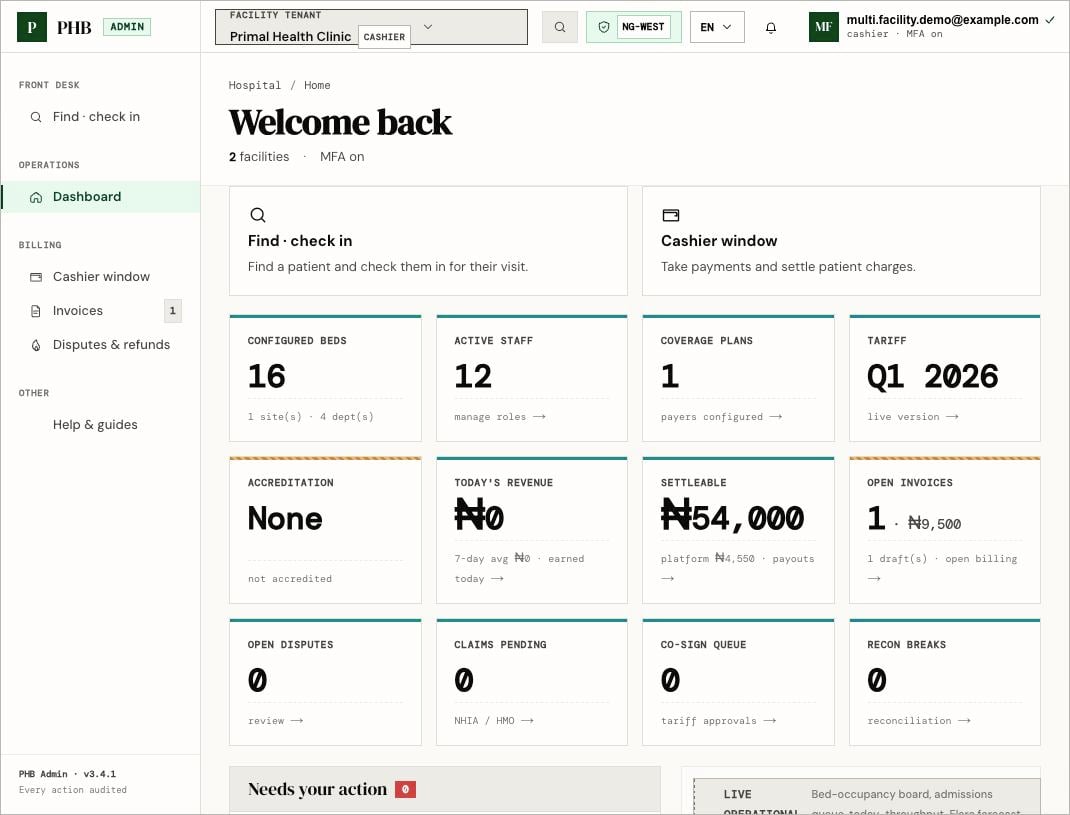 The Cashier window shows:
* Today's totals: **Collected · today**, **Open**, **Drafts**, **In dispute**.
* **Pay at the desk**: visits waiting for cash.
* **Registration fees · cash awaiting**: patients who need to pay to open a file.
* Invoices for your facility, with **Take payment** or **Take co-pay**.
* **Look up patient** and **New invoice**.
## What you can do here
Take cash, card or transfer for visits and invoices.
Collect the fee to open a patient's file.
## What a cashier can't do
* Change prices. That is `owner` or `finance`.
* Approve large refunds. That needs Finance.
* See clinical records.
## When something goes wrong
* [Why can't I...?](/troubleshooting/why-cant-i)
* [Access denied and missing menus](/troubleshooting/access-denied-and-missing-menus)
* [Feature status](/reference/feature-status)
This documentation is built and hosted on [Mintlify](https://mintlify.com), a developer documentation platform.
The Cashier window shows:
* Today's totals: **Collected · today**, **Open**, **Drafts**, **In dispute**.
* **Pay at the desk**: visits waiting for cash.
* **Registration fees · cash awaiting**: patients who need to pay to open a file.
* Invoices for your facility, with **Take payment** or **Take co-pay**.
* **Look up patient** and **New invoice**.
## What you can do here
Take cash, card or transfer for visits and invoices.
Collect the fee to open a patient's file.
## What a cashier can't do
* Change prices. That is `owner` or `finance`.
* Approve large refunds. That needs Finance.
* See clinical records.
## When something goes wrong
* [Why can't I...?](/troubleshooting/why-cant-i)
* [Access denied and missing menus](/troubleshooting/access-denied-and-missing-menus)
* [Feature status](/reference/feature-status)
This documentation is built and hosted on [Mintlify](https://mintlify.com), a developer documentation platform.