> ## Documentation Index
> Fetch the complete documentation index at: https://docs.phbhealth.com/llms.txt
> Use this file to discover all available pages before exploring further.
# Staff sign-in
> How hospital, clinical, pharmacy and lab staff sign in with a work email, a password and an authenticator app.
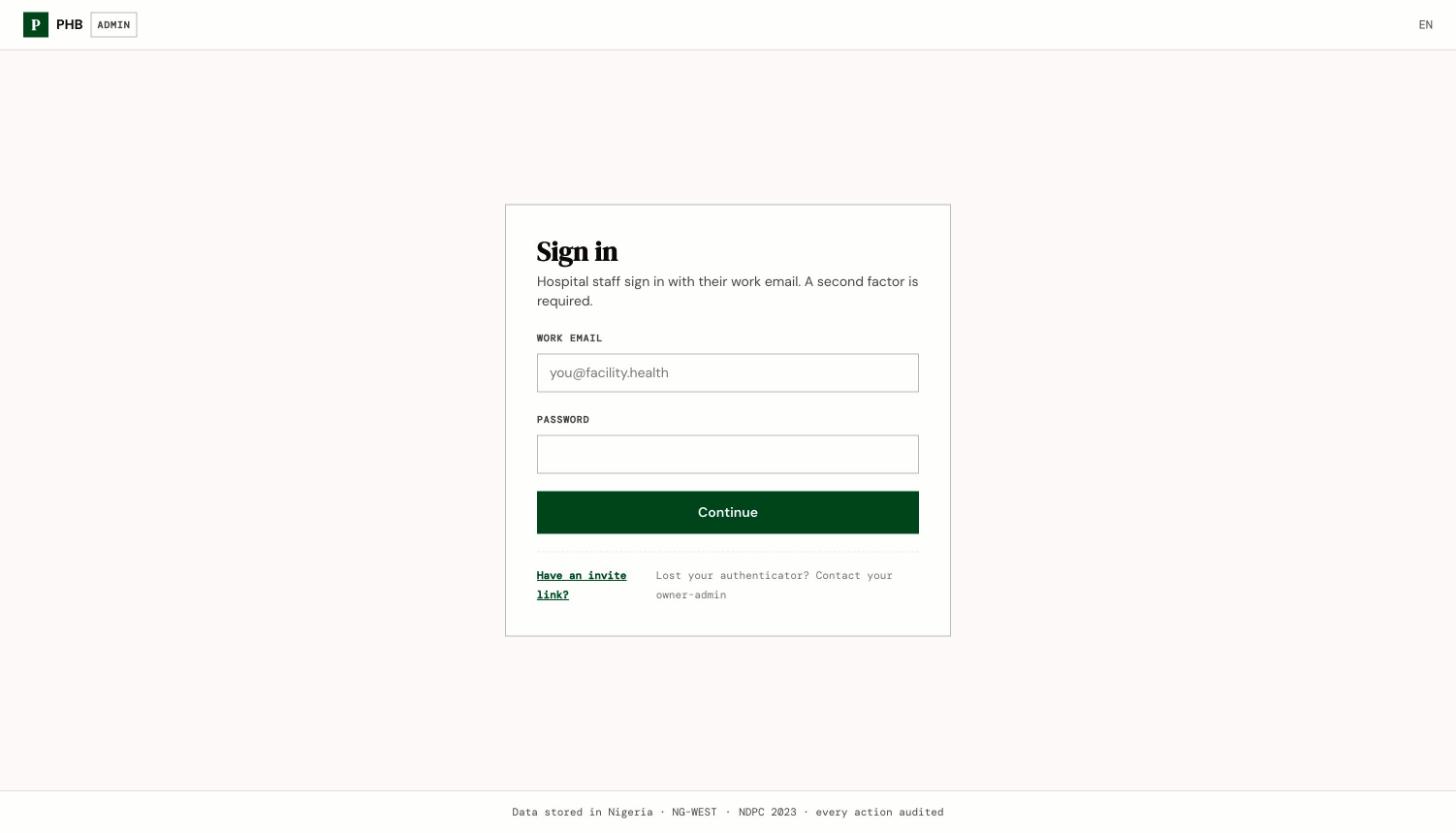
Staff sign in in two steps: your work email and password, then a 6-digit code from an authenticator app on your phone.
 ## Before you start
You need:
* An account. Your facility's owner or admin invites you. See [Accept a staff invite](/account/accept-a-staff-invite).
* Your **work email** and the password you chose.
* An **authenticator app** on your phone, such as Google Authenticator or Microsoft Authenticator.
## Which sign-in page is yours
| You are | Sign in at | You land on |
| - | - | - |
| Owner, admin, finance, medical director | `/hospital/login` | `/hospital` |
| Front desk (`receptionist`) | `/hospital/login` | `/hospital`, then **Find · check in** |
| Cashier | `/hospital/login` | `/hospital`, then **Cashier window** |
| Nurse | `/hospital/login` | `/nursing/triage` |
| Doctor | `/clinical/login` | `/clinical/today`, or `/clinical/onboarding` if your licence isn't verified yet |
| Pharmacist | `/pharmacy/login` | `/pharmacy` |
| Lab scientist (`lab_tech`) | `/lab/login` | `/lab/orders` |
Nurses use the **hospital** sign-in page. There is no separate nursing sign-in. A nurse who also holds a front-office role, such as `admin` or `receptionist`, stays on `/hospital` and opens nursing from there.
## Steps
Go to the address in the table above.
Type the email your invite was sent to and the password you chose.
The first time, you see **Set up your authenticator**. Scan the code on screen with your authenticator app. After that, you see **Enter your code**. Type the 6-digit code from the app and click **Verify & sign in**.
If you work at more than one facility, PHB asks you to choose one. See [Choose a facility](/account/choose-a-facility).
## What you can do here
* Sign in to your own workspace.
* Change your password once signed in. Doctors use **Settings**. Nurses and lab scientists use **Account**.
## Common problems
| What you see | Why | What to do |
| - | - | - |
| **This sign-in attempt expired. Please sign in again.** | You waited too long between the password and the code. | Start again from the sign-in page. |
| **This staff account is not active. Contact your owner-admin.** | Your account is suspended, on leave or offboarded. | Ask your owner or admin. |
| **Verification failed.** | The code was wrong or out of date. | Wait for a fresh code in your app and try again. Check your phone's clock is set automatically. |
| **No facility access** | You have no role at any facility yet. | Ask your owner or admin to give you a role. |
| There's no "Forgot password" link | PHB has no self-service staff reset. | See [Forgot password or lost authenticator](/account/forgot-password-or-lost-authenticator). |
This documentation is built and hosted on [Mintlify](https://mintlify.com), a developer documentation platform.
## Before you start
You need:
* An account. Your facility's owner or admin invites you. See [Accept a staff invite](/account/accept-a-staff-invite).
* Your **work email** and the password you chose.
* An **authenticator app** on your phone, such as Google Authenticator or Microsoft Authenticator.
## Which sign-in page is yours
| You are | Sign in at | You land on |
| - | - | - |
| Owner, admin, finance, medical director | `/hospital/login` | `/hospital` |
| Front desk (`receptionist`) | `/hospital/login` | `/hospital`, then **Find · check in** |
| Cashier | `/hospital/login` | `/hospital`, then **Cashier window** |
| Nurse | `/hospital/login` | `/nursing/triage` |
| Doctor | `/clinical/login` | `/clinical/today`, or `/clinical/onboarding` if your licence isn't verified yet |
| Pharmacist | `/pharmacy/login` | `/pharmacy` |
| Lab scientist (`lab_tech`) | `/lab/login` | `/lab/orders` |
Nurses use the **hospital** sign-in page. There is no separate nursing sign-in. A nurse who also holds a front-office role, such as `admin` or `receptionist`, stays on `/hospital` and opens nursing from there.
## Steps
Go to the address in the table above.
Type the email your invite was sent to and the password you chose.
The first time, you see **Set up your authenticator**. Scan the code on screen with your authenticator app. After that, you see **Enter your code**. Type the 6-digit code from the app and click **Verify & sign in**.
If you work at more than one facility, PHB asks you to choose one. See [Choose a facility](/account/choose-a-facility).
## What you can do here
* Sign in to your own workspace.
* Change your password once signed in. Doctors use **Settings**. Nurses and lab scientists use **Account**.
## Common problems
| What you see | Why | What to do |
| - | - | - |
| **This sign-in attempt expired. Please sign in again.** | You waited too long between the password and the code. | Start again from the sign-in page. |
| **This staff account is not active. Contact your owner-admin.** | Your account is suspended, on leave or offboarded. | Ask your owner or admin. |
| **Verification failed.** | The code was wrong or out of date. | Wait for a fresh code in your app and try again. Check your phone's clock is set automatically. |
| **No facility access** | You have no role at any facility yet. | Ask your owner or admin to give you a role. |
| There's no "Forgot password" link | PHB has no self-service staff reset. | See [Forgot password or lost authenticator](/account/forgot-password-or-lost-authenticator). |
This documentation is built and hosted on [Mintlify](https://mintlify.com), a developer documentation platform.