> ## Documentation Index
> Fetch the complete documentation index at: https://docs.phbhealth.com/llms.txt
> Use this file to discover all available pages before exploring further.
# Recover your HPN or SIM
> What to do if you forgot your HPN, lost your phone, or can't sign in.
If you can still receive texts on your registered phone, you don't need recovery. Sign in at `/login` with your phone number and the code. Your HPN is on your **Home** page.
Recovery is for when you can't get into your account at all.
## Before you start
The online recovery page needs:
* Your **NIN** (11 digits).
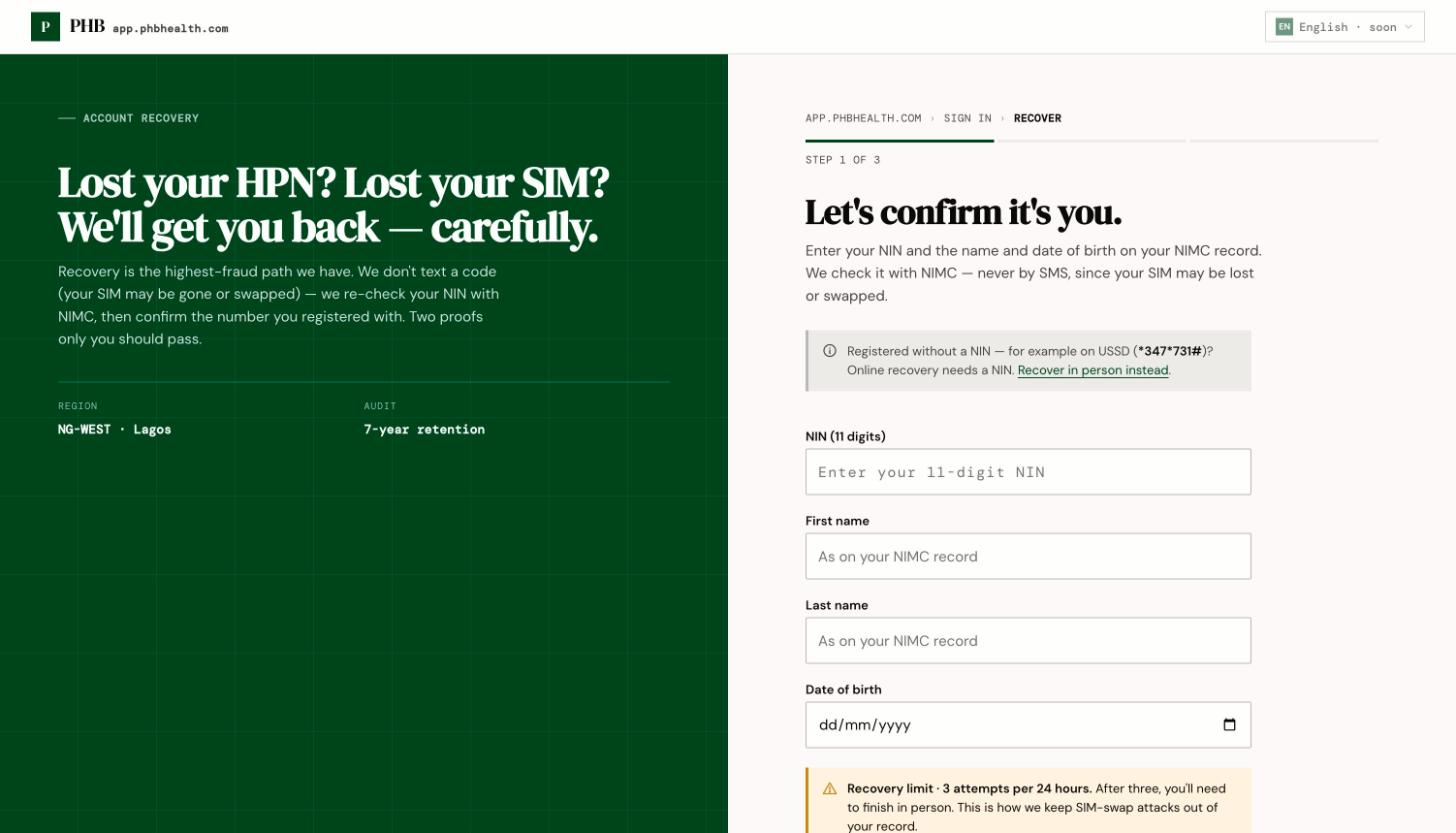
* Your **First name**, **Last name** and **Date of birth**, as on your NIN record.
* The **Phone number on your account**.
Online recovery depends on PHB checking your NIN. This may be unavailable at the moment. If it is, the page tells you to finish in person. If you have no NIN, online recovery can't find your account. Go to a hospital on PHB instead.
## Steps
 ### Online
On `/login`, click **Forgot your HPN, or lost your SIM?** This opens `/recover`.
Enter your NIN, first name, last name and date of birth.
Under **Which number did you register with?**, type the number on your account. Any format works.
Choose a **New password** and confirm it. You are signed in, and other sessions are signed out.
### In person
If the page says **Let's finish this in person**, or you have no NIN:
1. Go to the front desk of a hospital on PHB.
2. Tell them you already have PHB but forgot your number.
3. The receptionist uses **They already have PHB** to find your HPN. You need your phone to read back a code.
See [They already have PHB](/guides/front-desk/they-already-have-phb).
**Not built yet:** moving your account to a new phone number at a desk or through the Care Line. If you lost your SIM and have no NIN, ask the desk for help, but they can't yet change your registered number.
## Common problems
| Problem | What to do |
| - | - |
| The page says it can't continue online | Go in person, as above. |
| You've used up your attempts | The page shows when you can try again. Or go in person. |
| You don't remember which number you used | Try each number you had. Or go in person. |
This documentation is built and hosted on [Mintlify](https://mintlify.com), a developer documentation platform.
### Online
On `/login`, click **Forgot your HPN, or lost your SIM?** This opens `/recover`.
Enter your NIN, first name, last name and date of birth.
Under **Which number did you register with?**, type the number on your account. Any format works.
Choose a **New password** and confirm it. You are signed in, and other sessions are signed out.
### In person
If the page says **Let's finish this in person**, or you have no NIN:
1. Go to the front desk of a hospital on PHB.
2. Tell them you already have PHB but forgot your number.
3. The receptionist uses **They already have PHB** to find your HPN. You need your phone to read back a code.
See [They already have PHB](/guides/front-desk/they-already-have-phb).
**Not built yet:** moving your account to a new phone number at a desk or through the Care Line. If you lost your SIM and have no NIN, ask the desk for help, but they can't yet change your registered number.
## Common problems
| Problem | What to do |
| - | - |
| The page says it can't continue online | Go in person, as above. |
| You've used up your attempts | The page shows when you can try again. Or go in person. |
| You don't remember which number you used | Try each number you had. Or go in person. |
This documentation is built and hosted on [Mintlify](https://mintlify.com), a developer documentation platform.